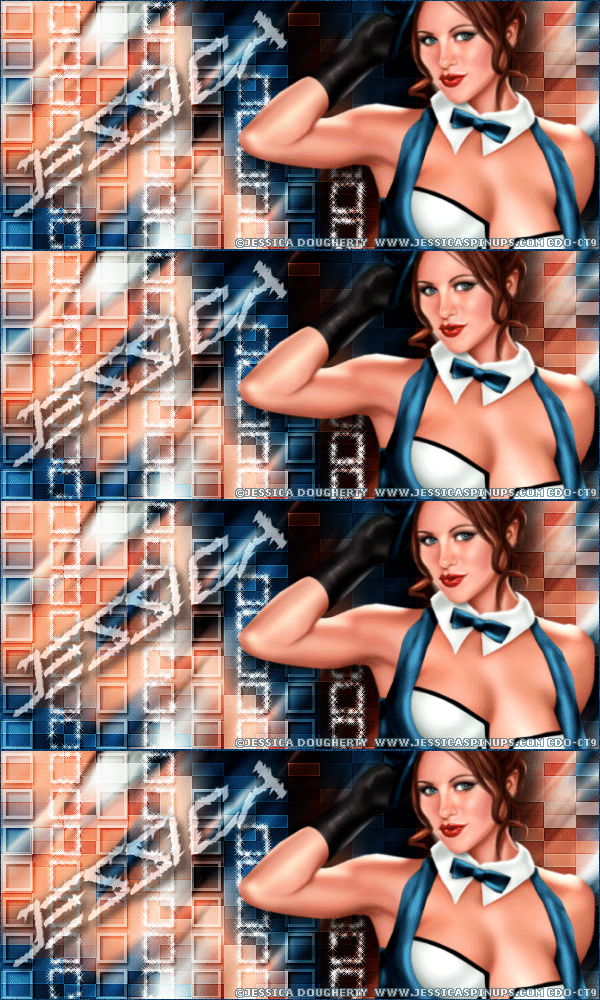
|
First time trying one of my Tutorials? Then please check my Terms of Use before you continue
You will need: Font of your choice - I used one called Barbed Type Tube of your choice - I will be using the artwork of Jessica Dougherty License and Tubes available at Creative Design Outlet
Filters: Mura's Meister/Copies Funhouse/Faceter Xenofex 2/Constellation
Ok let's begin Open a New Image 600x250 ... Paste your Tube as a New Layer Effects> Mura's Meister> Copies ... *Wall Paper(rotate) ... default settings Edit> Repeat Copies ... same settings as before
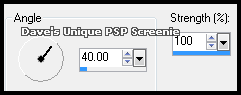
Crop Image 600x250 Layers> Duplicate ... Activate the Original layer Adjust> Blur> Motion Blur ... with the following settings
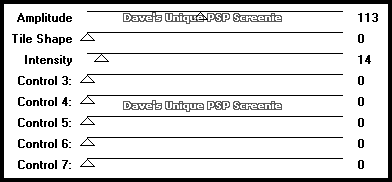
Activate the Duplicate layer Effects> Funhouse> Faceter ... with the following settings
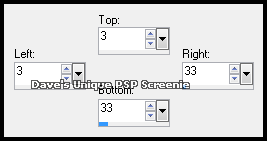
Effects> Edge Effects> Enhance ... Change this layers Blend Mode to Soft Light Layers> Merge> Merge Down ... Rename this layer Background ... Layers> New Raster Layer Make a Custom Selection ... with the following settings
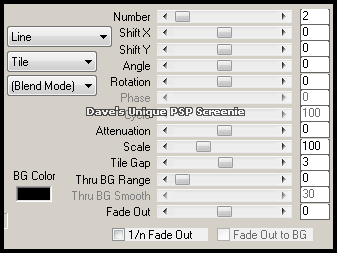
Flood Fill the Selection with White ... Selections> Modify> Contract by 3 Hit DELETE on your keyboard ... Selections> Select None Effects> Mura's Meister> Copies ... Tiling ... with the following settings
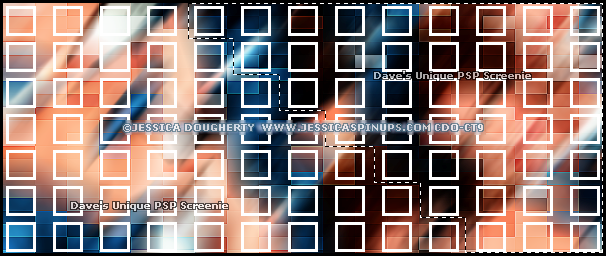
Using any method you like make a Selection like so
I used the Freehand Selection Tool
Hit DELETE on your keyboard ... Selections> Select None Layers> Duplicate ... Activate the Original layer Effects> 3D Effects> Drop Shadow ... 2, 2, 100, 3, Black Change this layers Blend Mode to Soft Light and rename it Squares
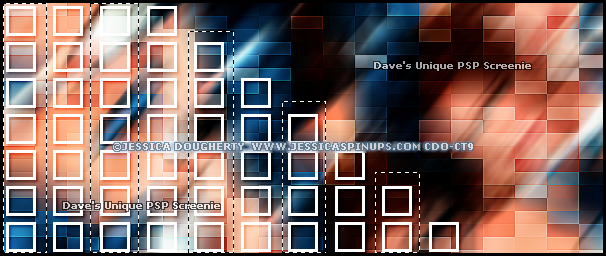
Activate the Duplicate layer Using any method you like make a Selection like so
I used the Freehand Selection Tool
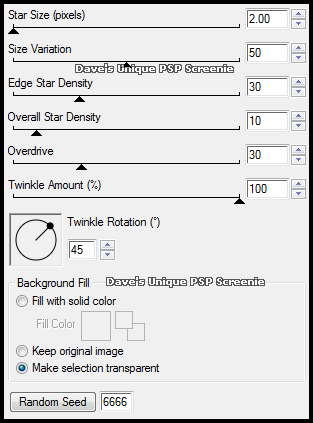
Hit DELETE on your keyboard ... Selections> Select None Rename this layer Con ... Duplicate this layer 3 times Activate the Con Layer Effects> Xenofex 2> Constellation ... with the following settings
Activate the Copy of Con layer ... Edit> Repeat Constellation ... Hit the Random Seed button once Activate the Copy (2) of Con layer ... Edit> Repeat Constellation ... Hit the Random Seed button once Activate the Copy (3) of Con layer ... Edit> Repeat Constellation ... Hit the Random Seed button once Selections> Select None ... Hide the top 3 Con layers
Paste your Tube as a New Layer, position on the right side of your Tag and apply a suitable Drop Shadow Layers> New Raster Layer ... Flood Fill with a color from your Tube Selections> Select All .... Selections> Modify> Contract by 1 ... Hit DELETE on your keyboard Selections> Select None
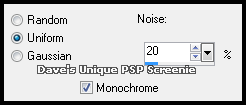
Adjust> Add/Remove Noise> Add Noise ... with the following settings
Add Copyrights and your Name
ANIMATING
Edit> Copy Special> Copy Merged Go back to Animation Shop ... Edit> Paste> After Current Frame Edit> Copy Special> Copy Merged Go back to Animation Shop ... Edit> Paste> After Current Frame Return to PSP hide the Copy of (2) Con layer and unhide the Copy (3) of Con layer Edit> Copy Special> Copy Merged Go back to Animation Shop ... Edit> Paste> After Current Frame Edit> Select All ... Animation> Frame Properties ... change to 13 And that's it. All that's left is to save your Tag ... If you wish to Preview it first View> Animation
Tutorial written on the 04/02/2013 ©David Hanslip |