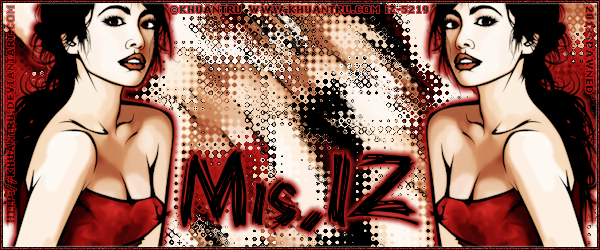
|
First time trying one of my Tutorials? Then please check my Terms of Use before you continue
You will need: Font of your choice - I used one called Bearpaw Tube of your choice - I will be using the artwork of Khuantru This artist is not currently selling his art in Tube Format
Filters: Mura's Meister/Copies Filter Factory N/Diamond Glass Eye Candy 6/Gradient Glow
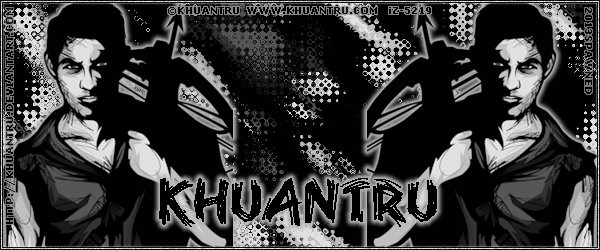
Ok let's begin Open a New Image 600x250 ... Paste your Tube as a New Layer Position on the Right side of your Tag ... Image> Mirror ... Layers> Merge> Merge Visible Layers> Duplicate
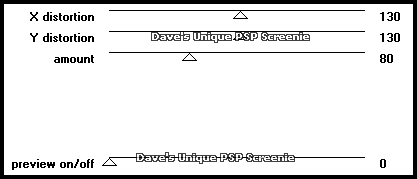
Activate the Bottom layer Effects> Mura's Meister> Copies ... *Wall Paper(rotate) ... default settings Effects> Filter Factory N> Diamond Glass ... with the following settings
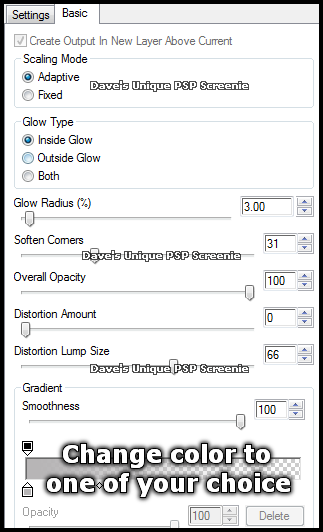
Crop Image 600x250 ... Activate the Top layer Effects> Eye Candy 6> Gradient Glow ... with the following settings
Change your Foreground to a color of choice and your Background to the same color you used for your Gradient Glow Layers> New Raster Layer ... Flood Fill with your Foreground color Selections> Select All ... Selections> Modify> Contract by 3 ... Hit DELETE on your keyboard
Selections> Modify> Expand by 1 ... Selections> Invert ... Flood Fill the Selection with your Background color Selections> Invert ... Selections> Modify> Expand by 1 ... Selections> Invert Flood Fill with your Foreground color ... Selections> Select None
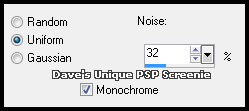
Adjust> Add/Remove Noise> Add Noise ... with the following settings
I applied a slight Drop Shadow to make my border stand out Effects> 3D Effects> Drop Shadow ... 0, 0, 100, 3, White Add Copyrights and your Name and that's it all that's left is to save your Tag
Here is another example also using the artwork of Khuantru
Tutorial written on the 01/01/2013 ©David Hanslip |