|
First time trying one of my Tutorials? Then please check my Terms of Use before you continue
You will need: Font of your choice - I used one called TikiSands Tube of your choice - I will be using the artwork of Anna Liwanag License and Tubes available at Creative Design Outlet
Filters: Mura's Meister/Copies xero/Fritillary AAA Frames/Foto Frame VM Extravaganza/Radial Transmission
Ok let's begin Open a New Image 600x250 ... Paste your Tube as a New Layer Effects> Mura's Meister> Copies ... *Wall Paper(rotate) ... default settings Edit> Repeat Copies ... same settings as above
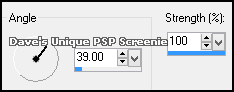
Selections> Select All ... Selections> Clip to Canvas ... Image> Crop to Selection Adjust> Blur> Motion Blur ... with the following settings
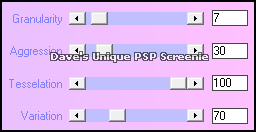
Effects> xero> Fritillary ... with the following settings
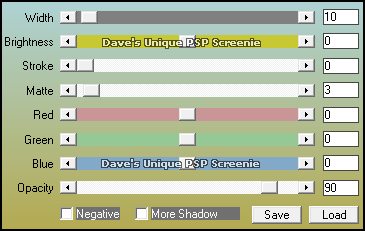
Layers> Duplicate ... rename this layer Trans ... Duplicate this layer three times (for a total of 4) Activate the Bottom layer Effects> AAA Frames> Foto Frame ... with the following settings
Activate the Trans Layer Effects> VM Extravaganza> Radial Transmission ... with the following settings
Activate the Copy of Trans layer ... Effects> VM Extravaganza> Radial Transmission change the Line Width to 40 Activate the Copy (2) of Trans layer ... Effects> VM Extravaganza> Radial Transmission change the Line Width to 50 Activate the Copy (3) of Trans layer ... Effects> VM Extravaganza> Radial Transmission change the Line Width to 60 Selections> Select All ... Selections> Modify> Contract by 14 ... Selections> Invert Hit DELETE on your keyboard
Activate the Copy (2) of Trans layer ... Hit DELETE on your keyboard Activate the Copy of Trans layer ... Hit DELETE on your keyboard Activate the Trans layer ... Hit DELETE on your keyboard Selections> Select None ... Hide the Top 3 Trans layers for now Activate the Copy (3) of Trans layer Paste your Tube as a New Layer, move into a suitable position and apply a suitable Drop Shadow
ANIMATING
Return to PSP and unhide the Copy (3) of Trans layer ... Edit> Copy Special> Copy Merged
Edit> Select All ... Animation> Frame Properties ... change to 20
Tutorial written on the 01/05/2013 ©David Hanslip |